
Delivery moments your emails miss.
When a parcel is late, missed or can’t be delivered, your customer hears from you first: in your branding, from your own address, with the link that fixes it.
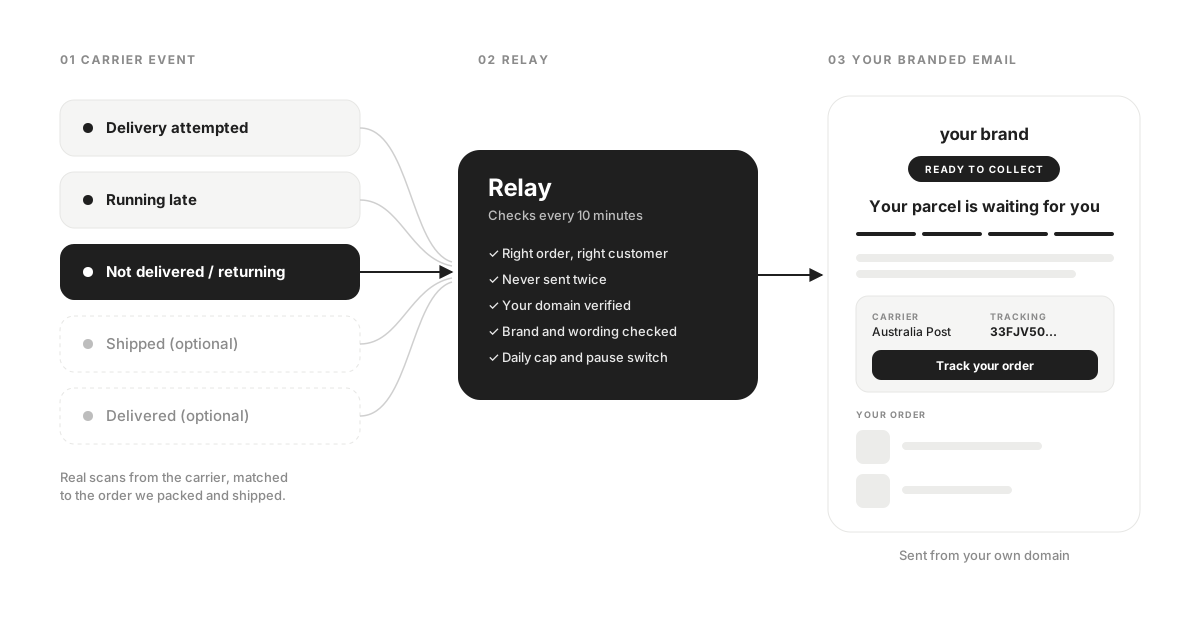
From a carrier scan to your customer’s inbox.
Relay watches the tracking of every parcel we ship for you. When the carrier records a delay or a missed delivery, your customer gets a calm, branded update. Nothing for you to run.
- 01The carrier scans the parcel
A delay, a missed delivery or a failed delivery is recorded on a parcel we packed and shipped for you.
- 02Relay checks it
Right order, right customer, never sent twice, your domain verified, within a daily cap and only for the emails you have switched on.
- 03Your customer hears from you
A branded email from your own address, with the carrier, the tracking number and one button to live tracking.
Sent by your brand. Not a courier.
Every email goes out from notifications@ your own domain, under your brand name. When a customer replies, it lands in your support inbox.
- Your logo and brand colour
- Replies go to your support inbox
- Only for parcels we ship for you
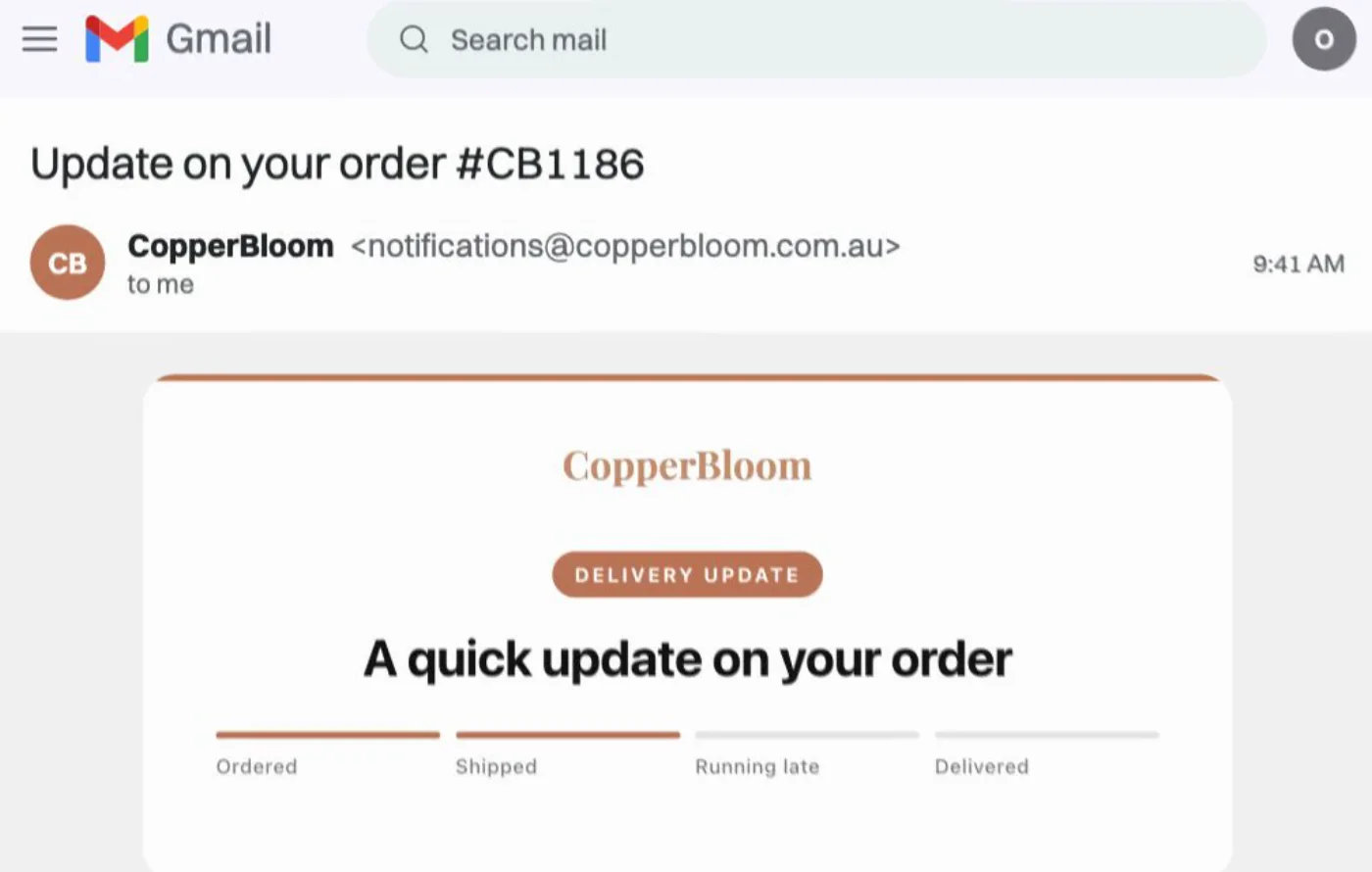
Five emails, each switched on or off by you.
These are the delivery moments in your FF app. Shopify already sends its own shipped and delivered emails, so you can leave those two off and let Relay cover the moments in between.
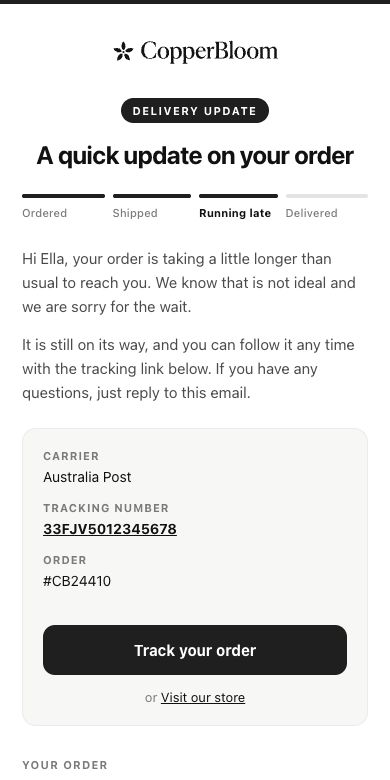
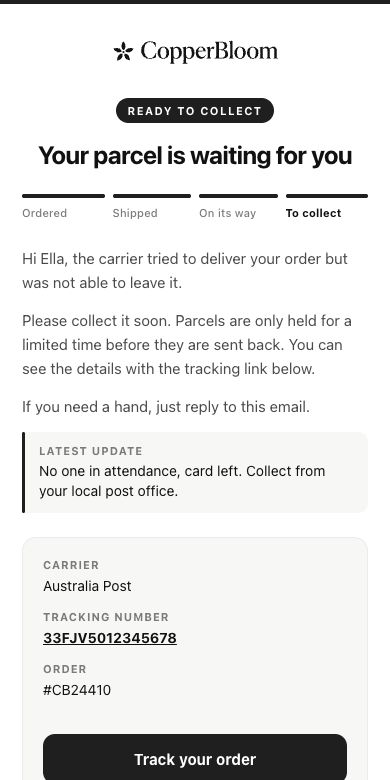
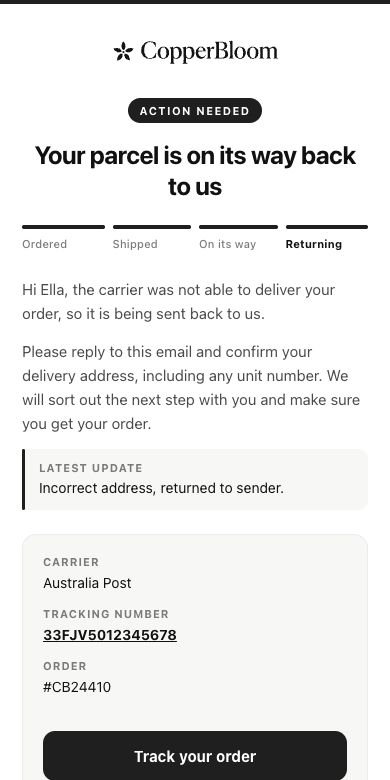
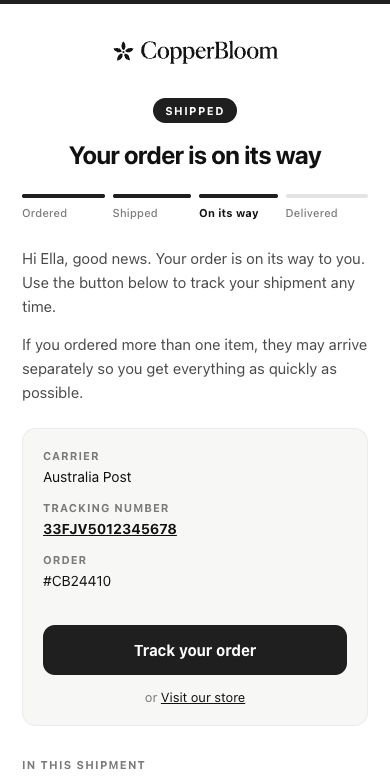
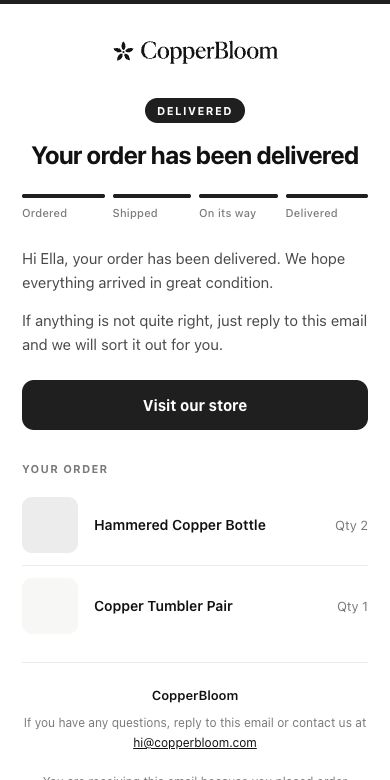
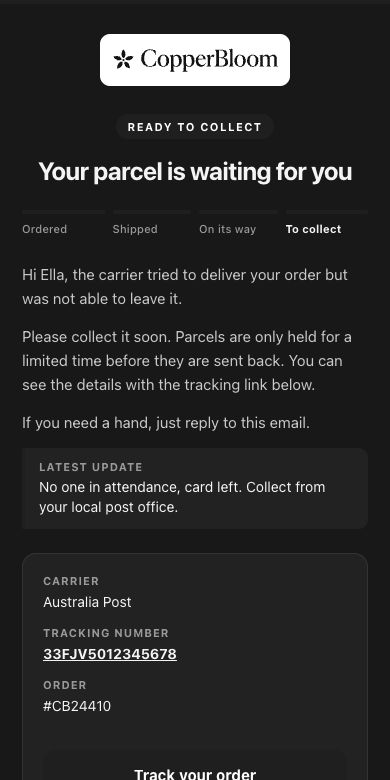
Previews show CopperBloom, our example brand, with sample data. Your emails use your logo, colour and real order details.
One tap to live tracking.
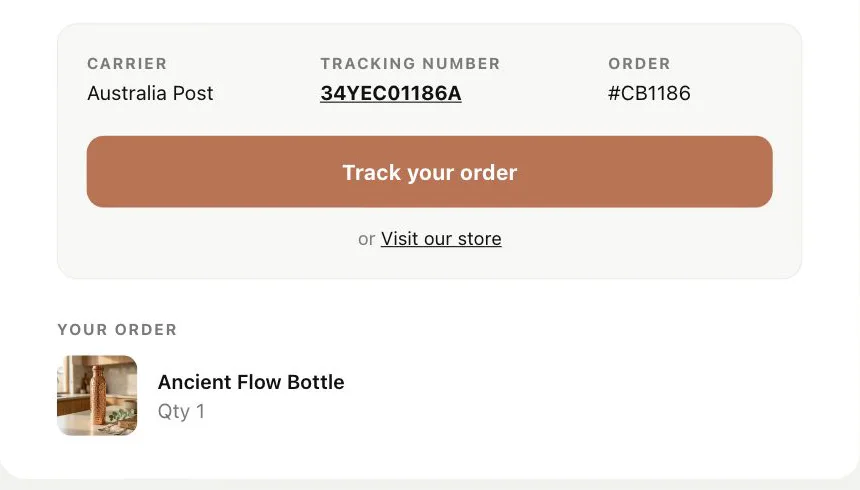
Every email shows the carrier, the tracking number and the order, with a Track your order button in your brand colour. It opens the carrier’s own live tracking for that parcel, so the scans your customer sees are the real ones.
- Carrier, tracking number and order together
- The items in the parcel, with photos
- A link back to your store
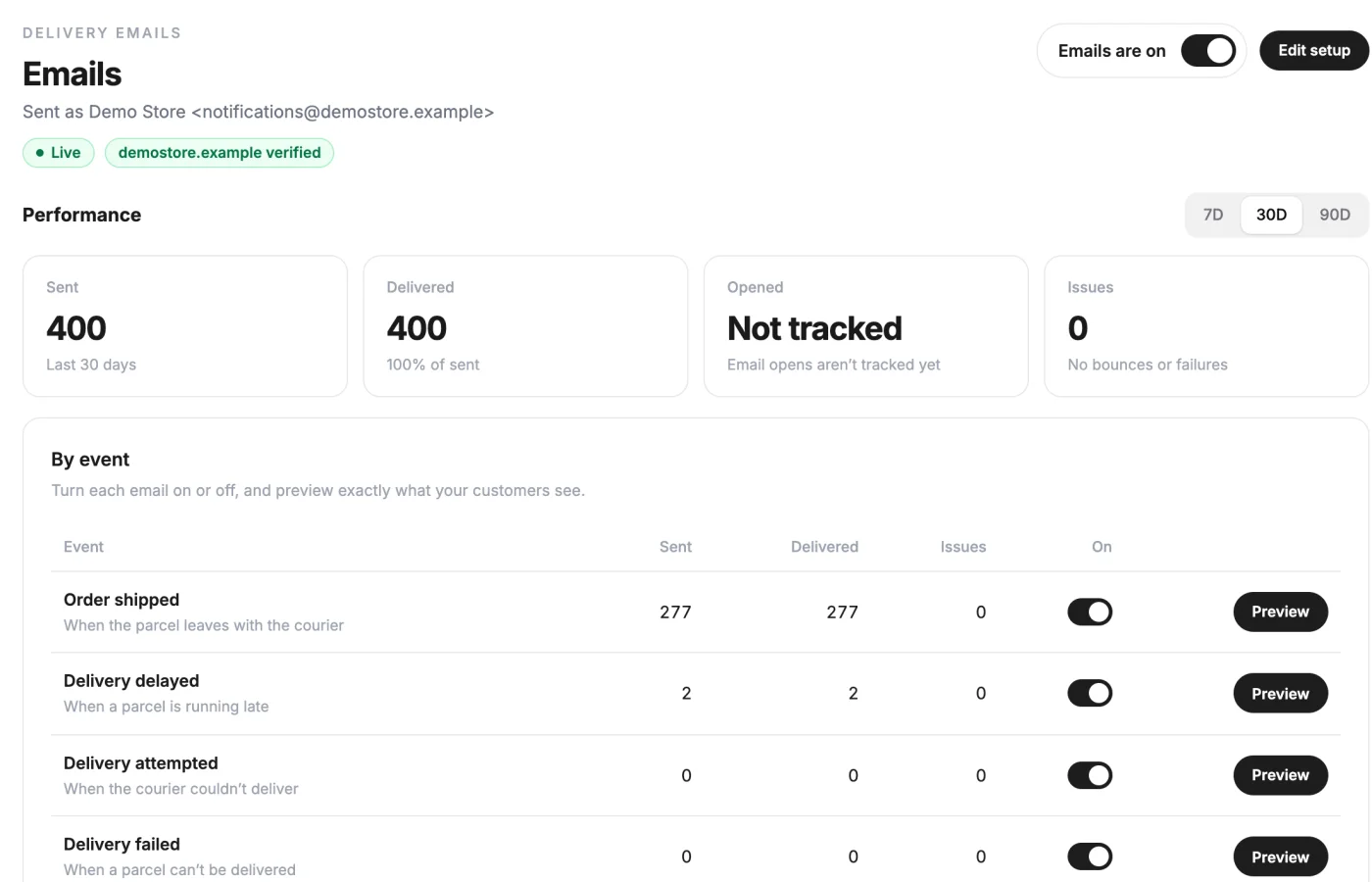
Every email, in your FF app.
Switch any email off, pause them all and see every email we sent. Shown here with our demo account.
Live, with one switch. Pause them all any time.
The Emails tab shows how many emails went out, how many were delivered and any bounce or failure. One switch at the top pauses every customer email until you turn them back on.
- Sent, delivered and issues over 7, 30 or 90 days
- A switch and a preview for every email
- Nothing sends while emails are paused
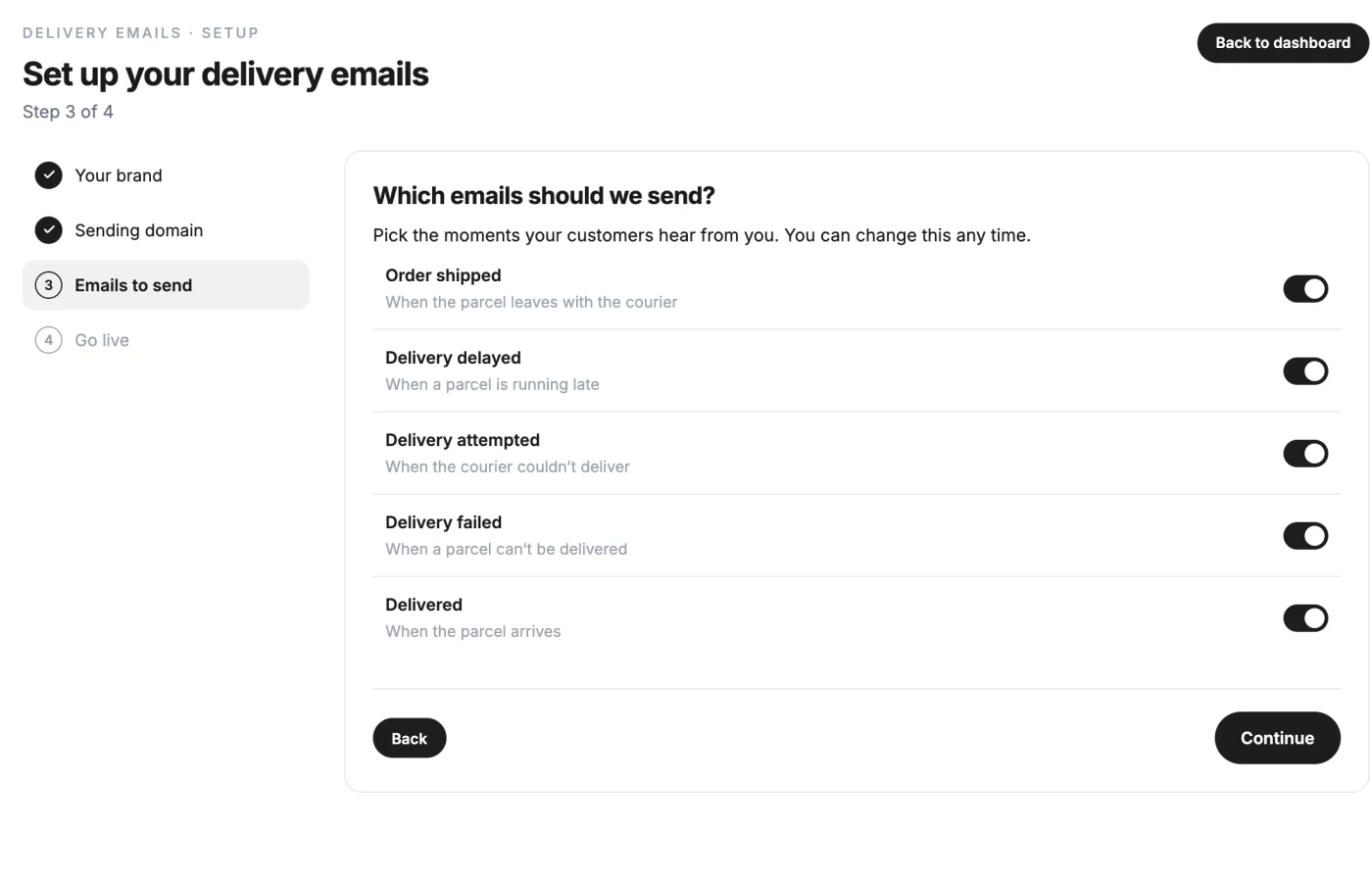
Pick your moments. Change them any time.
Turn each email on or off: order shipped, delivery delayed, delivery attempted, delivery failed and delivered.
- Five delivery moments, each with its own switch
- Shipped and delivered are optional
- Change your mind whenever you like
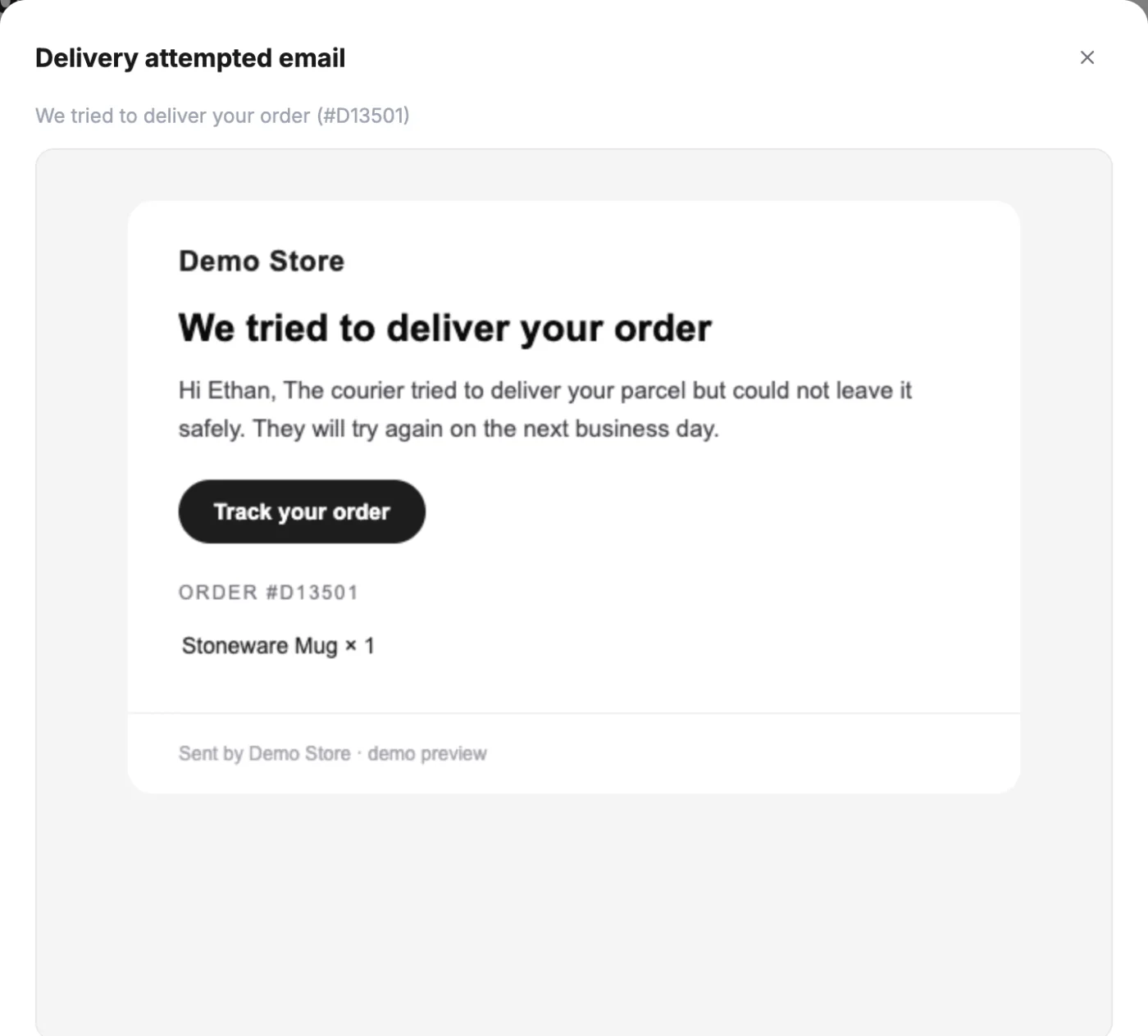
See exactly what they see. Before it reaches anyone.
Preview any email, filled in with one of your recent orders, straight from the Emails tab.
- The real email, not a mock-up
- Filled in with a recent order
- In your brand name and colour
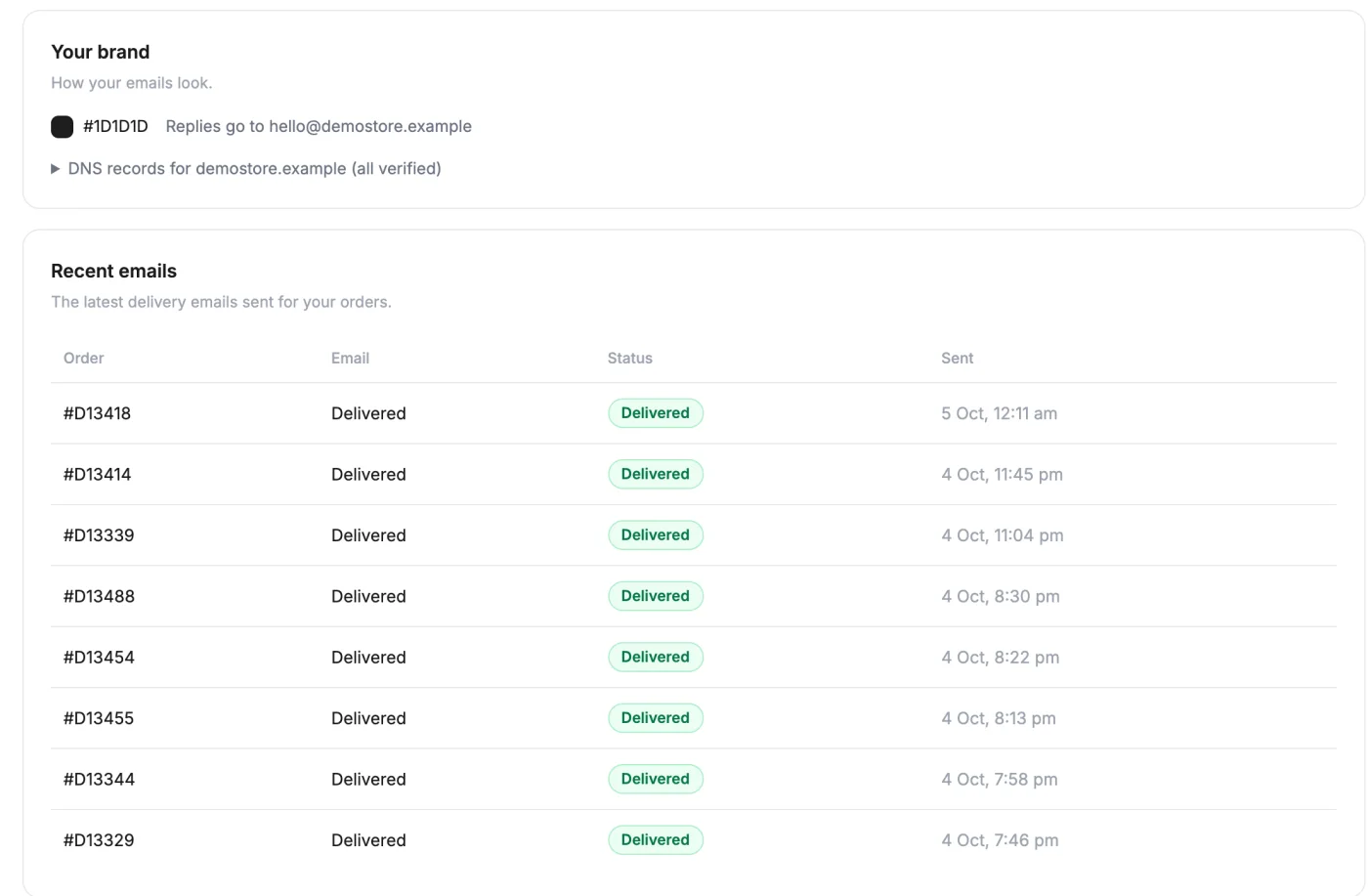
Every email, logged. Order by order.
Recent emails lists each one with its order, email type, status and time, so you can answer a customer in seconds.
- Order, email, status and time
- Delivered, bounced or failed
- Replies go to your support inbox
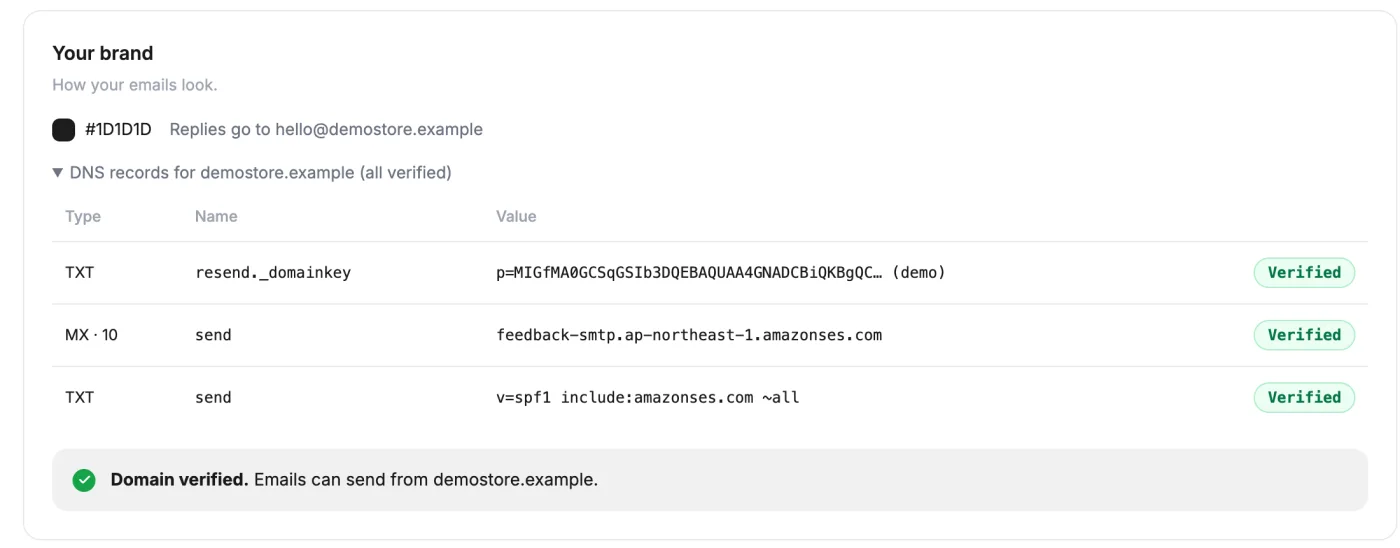
Your domain, a few DNS records.
Set-up lives in your FF app and takes four steps. The DNS records go on your own domain, so emails come from your brand and land in the inbox, not spam.
- 01Your brand
Your logo, your brand colour and the address replies go to.
- 02Sending domain
Add the DNS records we show you. The app checks them and updates by itself.
- 03Emails to send
Pick the delivery moments your customers hear about.
- 04Go live
Our team gives your emails a final check and switches them on, usually within one business day.
Relay comes with your fulfilment.
So does everything else. These tools only work because they are connected to the system that ships your orders. They are not sold separately. They come with your fulfilment.
- Stock financedWe fund the stock order
- Packed in your brandEvery order, your packaging
- The FF appEvery order, issue and invoice, live
- Relay Delivery EmailsIn your branding, from your address
- Faye customer supportReplies as your brand, in your tone
- A brands teamNew products and markets, planned with you
Questions about Relay.
Freedom Fulfilment clients only. It runs on the tracking of parcels we ship for you.
Five: order shipped, delivery delayed, delivery attempted, delivery failed and delivered. Each one has its own switch in your FF app.
No. Shopify already sends shipped and delivered emails, so you can leave those two off in Relay and let it cover the moments in between.
Your own domain, once you add the DNS records we give you. Replies go to your support inbox.
Yes. Each email has its own switch, and one switch pauses every customer email until you turn them back on.
Not yet. Your FF app shows sent, delivered, bounces and failures.
No. It is included for Freedom Fulfilment clients.
Hand over the supply chain.
Keep the growth.
Apply in two minutes. Our team reviews every application and replies within one working day.